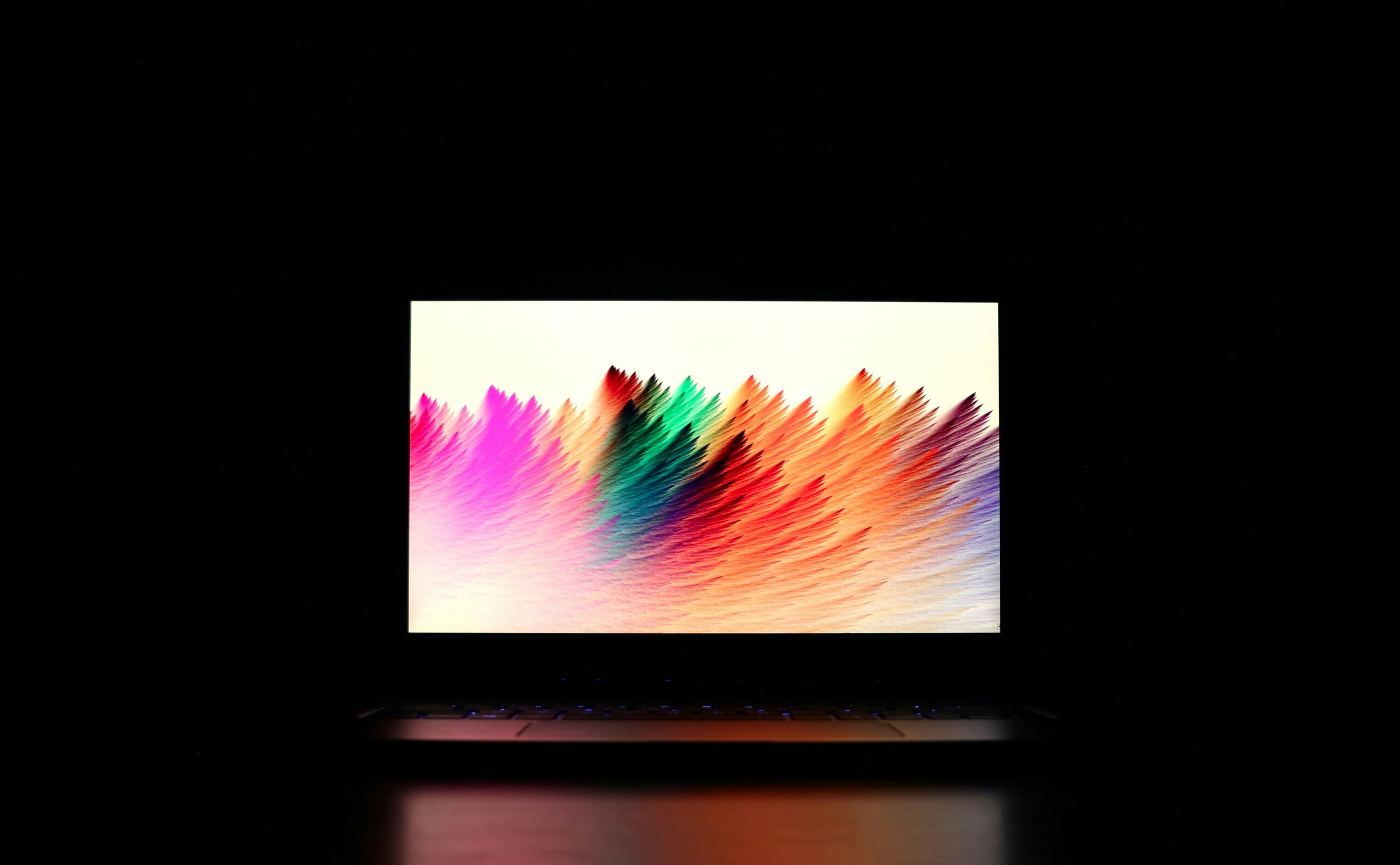
What Makes a Great Gaming Laptop Display? A Complete Guide
A great gaming laptop display can completely change your gaming experience. While processors and graphics cards determine how many frames your laptop can produce, the display determines how those frames actually look and feel. A fast GPU paired with a mediocre screen can leave you with motion blur, washed-out colored, screen tearing, or a display that simply doesn’t take advantage of your hardware.
Today’s gaming laptops offer more display choices than ever, including high-refresh-rate IPS panels, OLEN screens, Mini-LED displays, 2.5K resolutions, HDR support, and variable refresh-rate technologies. Some 2026 gaming laptops now combine 240Hz refresh rates, sub-millisecond response times, wide color gamuts, and high-brightness HDR in a single panel.
But bigger numbers don’t automatically mean a better gaming experience.
The right screen depends on the games you play, your GPU, your budget, and whether you also use your laptop for productivity, content creation, or entertainment.
In this guide we’ll break down everything you need to know about choosing the best gaming laptop display.
Shop Gaming Laptops With High_Refresh Displays
Related Article:
What Makes a Great Gaming Laptop Display?
A great gaming laptop screen needs to balance several factors:
- Resoltion
- Refresh rate
- Response time
- Panel technology
- Brightness
- Cpntrast
- Color accuracy
- HDR support
- Variable refresh rate
- Screen size
- Aspect ratio
The most important thing is finding the right combination rather than simply buying the laptop with the highest specification.
For example, 1 240Hz display isn’t particularly useful if your GPU can only produce 70 frames per second in the games you play. Likewise, a 4K display may look incredibly sharp, but it requires significantly more GPU power than 1080p.
1. Resolution: How. Sharp Should Your Gaming Laptop Screen Be?
Resolution determines how many pixels are displayed on the screen.
Common gaming laptop resolution options include:
Resolution
1920 x 1080
1920 x 1200
2560 x 1440
2560 x 1600
3840 x 2160
Common Name
Full HD / 1080p
FHD+
QHD / 1440p
2.5K / WQXGA
4K UHD
Best For
Budget and competitive gaming
Mainstream gaming
High-end gaming
Premium 16-inch gaming laptops
Maximum image detail
Higher resolution produces a sharper image, but it also requires Moore GPU horsepower.
For most gamers, 1440p gaming laptops and 2560 x 1600 displays offer an excellent balance between image quality and performance.
Modern 16-inch gaming laptops increasingly use 2560 x 1600 display panels because the 16:10 aspect ratio provides additional vertical screen space while maintaining excellent pixel density. ASUS, HP, and GIGABYTE all offer gaming laptops with 2560 x 1600-class displays.
Should You Buy a 4K Gaming Laptop?
For most gamers. probably not.
A 4K display can look fantastic, particularly in cinematic single-player games, but pushing four time the pixels os 1080p requires considerably more GOU performance.
If you’re buying a gaming laptop primarily for competitive games, lower resolution combined with a much higher refresh rate can be the better choice.
2. Refresh Rate” 60Hx Isn’t Enough for Serious Gaming
The gaming laptop refresh rate tells you how many times the display can update its image each second.
For example:
- 60Hz = 60 updates per second
- 120Hx = 120 updates per second
- 144Hz = 144 updates per second
- 165Hz = 165 updates per second
- 240Hz = 240 updates per second
- 200Hz = 300 updates per second
Higher refresh rate can make motion appear significantly smoother
A 60Hz display can still be perfectly usable, but gamers who play competitive shooters, racing games, MOBAs or other fast-paced titles should strongly consider a high refresh rate gaming laptop.
What refresh rate Should You But?
60Hz:
Best avoided for a dedicated gaming laptop unless you’re using an inexpensive entry-level system.
120Hx-144Hz:
Excellent starting point for gaming.
165Hz:
A strong sweet spot for mainstream gaming laptops.
240Hz:
Excellent for competitive gaming and high-performance systems.
300Hz+:
Primarily useful for esports. players who prioritize maximum motion fluidity.
Modern gaming laptops demonstrate how high refresh rates have become. For example, the 2026 ROG Strix can reach 240Hz or 300Hz depending on configuration and mode.
Shop Gaming Laptops
Related Article:
3. Response Time: Don’t Confuse It With Refresh Rate
Gaming laptop response time measures how quick;y pixels can change from one color to another.
A slow response time can produce:
- Ghosting
- Smearing
- Motion blur
- Lass-defined moving objects
This matters especially is fast-paced games.
OLED technology is particularly strong here. Current gaming laptop OLED panels can offer extremely fast pixel response times; ASUS , for example, list a 0.2 ms response time on its 2026 ROG Zephyrus G16 OLED display.
However, don’t assume that every advertised response time tells the whole story.
Manufacturers may use different testing methods, so independent reviews and measurements can be more useful than comparing headline numbers alone.
What Response Time Should a Gaming Laptop Have?
For gaming, look for:
- Under 5ms: Good
- Around 3ms: Very good
- Around 1ms: Excellent
- Sub-1ms OLED: Outstanding
For competitive gaming, response time becomes increasingly important as refresh rates climb.
4. OLED vs IPS: Which Gaming Laptop Display is Better?
One of the biggest decisions you’ll make is choosing between OLEN gaming laptop displays and IPS LCD panels.
OLED Gaming Laptop Displays
OLED panels have individually controlled pixels, allowing them to produce extremely deep blacks and very high contrast.
Advantages include:
- Excellent contrast
- True black levels
- Extremely fast response times
- Excellent color reproduction
- Strong HDR performance
- Immersive gaming visuals
Modern OLED gaming laptops can combine high refresh rates, wide color coverage, and extremely fast response times.
Shop Gaming Laptops with OLED:
- Acer Predator Helios
- Lenovo Legion 5i
- Acer Nitro
- ASUS TUF F16
OLED Disadvantages
OLED isn’t perfect.
Potential drawbacks include:
- Higher prices
- Greater power consumption in some scenarios
- Potential burn-in concerns
- Glossy reflections on some models
- Brightness limitations on certain panels
OLED is particularly attractive if you play cinematic games, watch movies, edit photos or video, or simply want the best image quality.
5. IPS Gaming Laptop Displays
IPS gaming laptop screen remain extremely popular because they provide a strong combination of performance, brightness, color quality, and affordability.
A good IPS panel can provide:
- High refresh rates
- Excellent viewing angles
- Strong color reproduction
- Good brightness
- Lower cost than premium OLED
- No OLED burn-in concerns
Modern IPS gaming laptop displays can also reach 240Hz response times. HP’s current OMEN 16 lineup, for example, includes IPS configurations reaching 240Hz with 3ms response times and 500-nit brightness.
OLED vs IPS: Which Should You Buy?
Choose OLED if:
- Image quality is your top priority
- You want extremely fast response times
- You play cinematic games
- You watch a lot of movies
- You want excellent HDR and contrast
Choose IPS if:
- You want excellent gaming performance at a lower price
- You need high brightness
- You use your laptop for long productivity sessions
- You want to minimize burn-in concerns
- You’re prioritizing GPU performance within a fixed budget
6. Mini-LED: The Middle Ground Between IPS and OLED
Mini-LED is another display technology worth considering.
Instead of individually controlling every pixel like OLED, Mini-LED uses many small backlight zones to control brightness more precisely than conventional panels.
The result can be:
- Higher brightness
- Better contrast
- Strong HDR performance
- Excellent color
- Less concern about permanent OLED burn-in
Some premium gaming laptops now use Mini-LED panels with hundreds or thousands of local dimming zones. ASUS, for example, lists a 2026 ROG Strix G16 configuration with more than 2000 dimming zones, 1200-nit peak brightness, 240Hz refresh, and 100% DCI-P3 coverage.
Mini-LED can be particularly attractive if you game in a bright room or want strong HDR performance.
7. Brightness Matters More Than You Think
Gaming laptop brightness is measured in nits.
A brighter display is generally easier to see in environments with strong ambient light.
As a rough guide:
- 250-300 nit: Basic
- 400 nits: Good
- 500 nits: Very good
- 600+ nits: Excellent
- 1000+ nits: Premium HDR territory
However, peak brightness and sustained brightness aren’t the same thing.
A manufacturer might advertise a very high HDR peak while the display operates at a much lower brightness during normal desktop use.
For example, current gaming laptop specifications can vary considerably between OLED and IPS configurations. HP lists some OMEN 16 OLED configurations at 500 its SDR and up to 1100 nits HDR, while its IPS options reach 500 nits.
Is 300 nits Enough for Gaming?
Yes, if you mostly play indoors in a relatively dark room.
But if you frequently use your laptop near windows or in bright environments, a 400-500 nit display is preferable.
8. HDR: Is It Worth Paying Extra For?
Gaming laptop HDR can dramatically improve supported games by expanding brightness and contrast.
Good HDR can produce:
- Brighter highlights
- Deeper shadows
- More realistic lighting
- Better contrast
- More vivid colors
However, HDR support on the specification sheet doesn’t automatically mean excellent HDR.
The quality of the panel, local dimming, brightness, contrast, and certification all matter.
OLED panels can be especially impressive for HDR because their pixels can produce extremely deep blacks. Mini-LED panels can also deliver impressive HDR because of their dimming capabilities.
When shopping, look beyond the words “HDR supported.”
Look for meaningful certifications such as VESA DisplayHDR or DisplayHDR True Black where applicable.
9. Color Accuracy and Color Gamut
Gamers often overlook color accuracy, but it matters is you also use your laptop for:
- Photo editing
- Video editing
- Graphic design
- Content creation
- Streaming
Common color specs include:
- sRGB
- DCI-P3
- Adobe RGB
For a gaming laptop that will also be used for creative work, look for strong sRGB coverage at a minimum.
For more demanding content creation, a display covering close to 100% of DCII-P3 is preferable.
Premium gaming laptops increasingly combine high refresh rates with wide color panels. ASUS, for example, lists 100% DCI-P3 coverage on its 2026 ROG Zephyrus G16 OLED panel.
Related Article:
10. G-SYNC and Variable Refresh Rate
A high refresh rate isn’t the only feature that can improve gaming smoothness.
G-SYNC gaming laptop technology synchronizes the display’s refresh behavior with the GPU’s frame output.
Without variable refresh rate technology, mismatches between GPU frame delivery and display refresh can contribute to:
- Screen tearing
- Stuttering
- Uneven motion
NVIDIA G-SYNC is now available on some OLED gaming laptops, including ASUS ROG models.
AMD FreeSync and other adaptive-sync technologies can provide similar benefits depending on the laptop and GPU.
Should You Buy a Gaming Laptop with G-SYNC?
If you’re buying a mid-range or high-end gaming laptop, adaptive sync is a valuable feature.
It’s especially useful when frame rates fluctuate rather than remaining perfectly synchronized with the display’s maximum refresh rate.
Related Article:
11. Screen Size: 14, 15, or 18 Inches?
Gaming laptops typically fall into three useful size categories.
14-Inch Gaming Laptops
Best for:
- Portability
- Students
- Frequent travelers
- Gamers who value compact systems
The trade-off is a smaller viewing area.
14-inch Gaming Laptops
16-Inch Gaming Laptops
For many buyers, 16 inches is the sweet spot.
You get:
- Larger viewing area
- Excellent portability
- Plenty of room for high resolutions
- Increasing availability of 16:10 displays
16-inch Gaming Laptops
18 Inch Gaming Laptops
Best for:
- Desktop replacement use
- Immersive gaming
- Users who rarely travel with their laptop
The obvious downside is size and weight.
18-inch Gaming Laptops
12. 16:9 vs 16:10 Displays
Aspect ratio is another specification worth understanding.
Traditional gaming laptops commonly used 16:9 screens.
Newer laptops increasingly use 16:10 displays.
A 16:10 screen provides additional vertical space, which can be useful for:
- Web browsing
- Coding
- Productivity
- Documents
- Creative applications
For gaming, the difference is less dramatic, although the additional vertical space can make the overall laptop feel more spacious.
If you’re buying a gaming laptop that will also serve as your primary work computer, 16:10 can be an excellent choice.
13. Glossy vs Matte Displays
Display coating can have a surprisingly large impact on the experience.
Glossy Displays
Advantages:
- Vibrant appeance
- Strong perceived contrast
- Excellent for movies and games
Disadvantages:
- Reflections
- More difficult to use near windows
- Can be distracting in bright rooms
Matte Displays
Advantages:
- Reduced reflections
- Better for bright environments
- Easier for office use
Disadvantages:
- Can appear slightly less vibrant
- Some matte coatings can introduce a subtle grainy appearance
If you primarily game in a dark room, glossy OLED can be spectacular.
If you frequently game or work in bright environments, matte may be more practical.
14. Match Your Display to Your GPU
One of the biggest gaming laptop buying mistakes is choosing the display independently for the GPU.
Your GPU needs to be capable of driving the display effectively.
For example:
Entry-level GPU + 1080p 144Hz:
A sensible pairing.
Mid-range GPU + 1440p/1600p 165Hz:
A strong all-around configuration.
High-end GPU + 1600p 240Hz:
Excellent for premium gaming.
High-end GPU + 4K:
Ideal for gamers prioritizing visual detail over maximum frame rates.
The goal is balance.
A 240Hz panel doesn’t magically make a game run at 240 FPS.
Your CPU. GPU, game settings, resolution, and thermal performance all determine actual frame rates.
Related Articles:
15. What Display Should You Choose for Different Types of Gamers?
Best Display for Competitive Gamers
Look for:
- 1080p or 1440p
- 165Hz – 300Hz
- Very low response time
- Adaptive sync
- Strong motion clarity
Refresh rate and response time should be prioritized.
Best Display for AAA Gamers
Look for:
- 1440p or 1600p
- OLED or Mini-LED
- 165Hz+
- Excellent HDR
- High contrast
- Wide color gamut
Image quality becomes more important than simply maximizing refresh rate.
Best Display for Content Creators Who Game
Look for:
- OLED or high-quality IPS
- 1600p or 4K
- High color accuracy
- 100% sRGB
- Strong DCI-P3 coverage
- HDR support
Best Display for Budget Gamer
Look for:
- 1080p or 1200p
- 144Hz-165Hz
- IPS
- Around 300-400 nits
- Adaptive sync
Don’t spend your entire budget on the display if it means sacrificing a significantly better GPU.
Related Articles:
16. Gaming Laptop Display Buying Checklist
Before buying, check each of these specifications:
- Resolution: Is it appropriate for your GPU?
- Refresh rate: Aim for at least 120Hz for gaming.
- Response time: Look for approximately 5ms or less.
- Panel type: IPS, OLED, or Mini-LED?
- Brightness: Prefer 400+ nits of possible
- HDR: Is it actually certified?
- Color: Check sRGB and DCI-P3 coverage.
- Adaptive sync: G-SYNC, FreeSync, or another VRR technology?
- Screen size: 14, 16, or 18 inches?
- Aspect ratio: 16:9 or 16:10?
- Finish: Glossy or matte?
- GPU: Can it actually drive the display?
The Best Gaming Laptop Display for Most People
For most gamers, the sweet spot is a 16-inch 2560 x 1600 display with a 165Hz or higher refresh rate.
If your budget allows it, OLED is particularly compelling because of its combination of excellent contrast, color, and extremely fast response times.
However, a high-quality IPS display remains an excellent choice and can provide a better overall value if choosing OLEDD requires you to downgrade the GPU.
For competitive gamers, prioritize refresh rate and response time.
For AAA gamers, prioritize resolution, contras, HDR, and color.
For content creators, prioritize color accuracy and gamut.
And for users who do everything on one laptop, look for the best balance of these characteristics.
Final Thoughts
The display is one of the most important components of a gaming laptop because it’s the part of the machine you’ll interact with every second you play.
The best gaming laptop screen isn’t necessarily the one with the highest refresh rate or the highest resolution. Its the one that matches your GPU, your games,, your environment, and your budget.
For most buyers, a 144Hz-165Hz IPS display represents an excellent starting point. Moving to 240Hz makes more sense for competitivve gamers, while OLED and Mini-LED become attractive when image quality, HDR, contrast, and color are priorities.
The good news id that gaming laptop displays have improved dramatically. Current models can combine 2.5K-class resolutions, high refresh rates, OLED or Mini-LED technology, wide color gamuts, HDR, and adaptive sync in configurations that would have been considered premium only a few years ago.
The key is to avoid buying based on a single specification.
A balanced display is almost always better than an impressive-looking spec sheet.
Related Article: