
Everything You Need to Know About Gaming Laptops
Whether you’re a competitive esports player, a casual gamer, a content creator, or someone who simply wants a powerful computer, gaming laptops have become one of the best investments you can make. Modern gaming laptops are faster, cooler, and more efficient than ever before, making them excellent choices for gaming, streaming, programming, video editing, AI workloads, and professional productivity .
This complete guide explains everything you need to know before purchasing a gaming laptop in 2026-from choosing the right graphics card and processor to understanding display technology, cooling systems, battery life, and long-term value.
Related Articles:
What is a Gaming Laptop?
A gaming laptop is designed with high-performance hardware capable of running modern games while also handling demanding workloads.
Unlike traditional laptops, gaming models include:
- Dedicated graphics cards
- Hig-performance processors
- Fast DDR5 memory
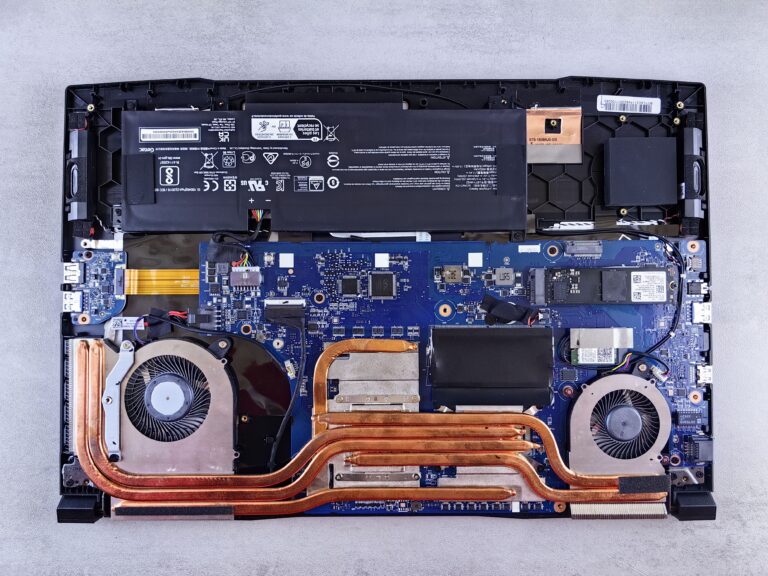
- Advanced cooling systems
- High refresh-rate displays
- Larger batteries
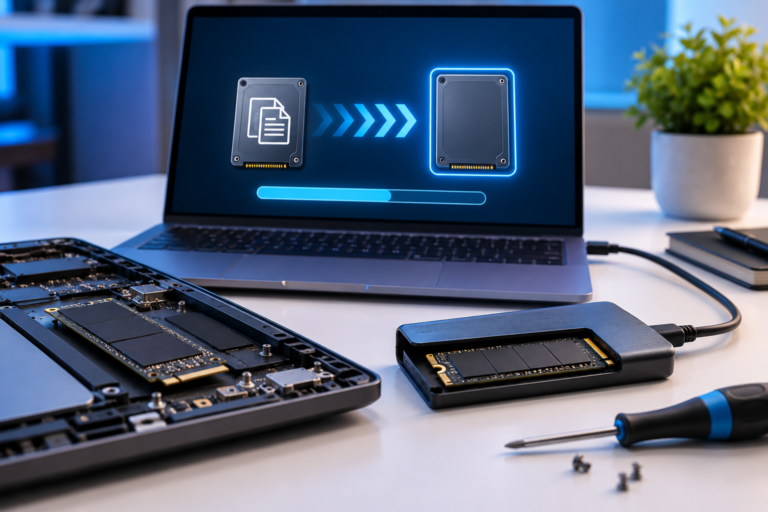
- Expandable storage
- RGB keyboards (on many models)
They’re also excellent for:
- Game development
- Video editing
- 3D rendering
- Programming
- Machine learning
- Streaming
Related Article:
Gaming Laptop Components Explained
Graphics Card (GPU)
The GPU is the single most important component.
Popular choices include:
GPU
RTX 5060
RTX 5070
RTX 5080
RTX 5090
Best For
Budget Gaming
1440p Gaming
High-end Gaming
Enthusiasts & 4K
The GPU affects:
- FPS
- Ray Tracing
- DLSS
- AI performance
- Video editing speed
Related Article:
Processor (CPU)
Modern gaming laptops generally use:
Intel
- Core Ultra 7
- Core Ultra 9
AMD
- Ryzen AI 7
- Ryzen AI 9
The processor matters for:
- Strategy games
- Simulation games
- Streaming
- Productivity
- AI workloads
Memory (RAM)
Today’s recommendation
Minimum:
- 16GB DDR5
Recommended:
- 32GB DDR5
Heavy creators:
- 64GB
Storage
Never buy a gaming laptop with only 512GB if you plan to install many games.
Recommended:
- 1TB SSD
- 2TB SSD for larger libraries
NVMe Gen4 and Gen5 SSDs provide much faster loading times.
Display Technology
Display quality has improved dramatically.
Look for:
- IPS
- Mini-LED
- OLED
Resolution choices:
- 1080p
- 1440p
- 1600p
- 4K
Related Articles:
Refresh Rate
Higher refresh rates provide smoother gameplay.
Recommended:
- 144Hz
- 165Hz
- 240Hz
- 360Hz (competitive gaming)
Cooling Matters
Gaming produces significant heat.
The best gaming laptops feature:
- Vapor chambers
- Multiple heat pipes
- Liquid Metal thermal compounds
- Dual or triple fans
- Smart fan software
Better cooling equals:
- Higher FPS
- Less throttling
- Longer hardware lifespan
Battery Life
Gaming laptops prioritize performance over battery life.
Typical battery expectations:
Gaming:
- 1 – 3 hours
Productivity:
- 6 – 10 hours
Video playback:
- 8 – 12 hours
Screen Sizes
14-inch
Pros
- Portable
- Lightweight
Cons
- Smaller cooling system
15.6-inch
Best overall balance.
Recommended for most buyers.
16-inch
The current sweet spot.
Offers:
- Better cooling
- Larger displays
- More comfortable keyboards
18-inch
Desktop replacement.
Best for:
- Streaming
- Video editors
- Serious gamers
Best Gaming Laptop Brands
Several manufacturers consistently produce excellent gaming laptops.
ASUS ROG
Known for:
- Premium hardware
- Excellent cooling
- Beautiful displays
Related Article:
Lenovo Legion
Excellent balance of:
- Performance
- Cooling
- Value
Related Article:
Acer Predator
Strong value for performance.
Related Article:
HP Omen
A great mid-range option.
Related Article:
Dell Alienware
Premium gaming hardware with excellent build quality.
Related Article:
MSI
Known for:
- High-end gaming
- Desktop replacement laptops
- Creator laptops
Razer Blade
Premium aluminum construction with sleek designs.
How Much Should You Spend?
Under $1000
Best for:
- Casual gaming
- Esports
- Students
$1000 – $1500
Best value.
Typically includes:
- RTX 5060
- RTX 5070
- 16-32GB RAM
$1500 – $2500
Ideal for most gamers.
Expect:
- RTX 5070
- RTX 5080
- Better displays
- Better cooling
$2500+
Enthusiast category.
Features include:
- RTX 5090
- Mini-LED
- OLED
- Premium chassis
- Mechanical keyboards
Accessories Worth Buying
Every gaming setup benefits from a few upgrades.
Recommended accessories:
- Gaming mouse
- Mechanical keyboard
- Gaming headset
- External monitor
- Docking station
- USB-C hub
- External SSD
Recommended Gaming Laptops
Budget Pick
ASUS TUF Gaming Series
Check Prices:
Best Overall
Lenovo Legion Pro
Check Price:
Premium Pick
ASUS ROG Strix Scar
Current Price:
Creator Pick
Razer Blade 16
Current Price:
Best Value
Acer Predator Helios
Current Price:
Desktop Replacement
MSI Titan
Check Price:
Buying Checklist
Before purchasing, verify:
- RTX 5070 or better
- 16GB minimum RAM
- 1TB SSD
- 144Hz display
- Good cooling
- Upgradeable RAM
- Wi-Fi 7
- USB4 or Thunderbolt
- HDMI 2.1
Related Articles:
Frequently Asked Questions
Are gaming laptops good for school?
Yes. They handle productivity, programming, design work, and gaming exceptionally well.
Do gaming laptops last longer?
Generally, yes, because higher-end components often remain capable for more years, provided the laptop is well maintained.
Can gaming laptops replace desktops?
For many users, yes. An external monitor, keyboard, and mouse can provide a desktop-like experience.
Is 16GB of RAM enough?
Yes for most gamers, though 32GB offers better longevity and multitasking performance.
Should I buy OLED?
OLED displays offer exceptional contrast and color accuracy, making them ideal for gaming and creative work if they fit your budget.
Final Thoughts
The latest gaming laptops deliver desktop-class performance in increasingly portable designs. Whether you’re shopping on a budget or looking for a flagship powerhouse, choosing the right combination go GPU, CPU, display, memory, and cooling will have the biggest impact on your experience.
For most buyer in 2026, a laptop with an RTX 5070-class GPU (or equivalent) , 32GB of DDR5 RAM, a 1TB NVMe SSD, and a 165Hz or faster display strikes an excellent balance between performance, value, and longevity. Compare models carefully, read reviews, and take advantage of affiliate deals when prices drop to maximize your investment.