The Ultimate Laptop vs Desktop Comparison for Remote Workers
Laptop vs Desktop for Remote Work: Which Should You Buy?
One of the biggest decisions when building a home office is choosing between a laptop vs desktop computer. Both options can provide excellent performance for remote workers, but the right choice depends on your budget, work style, space requirements, and long-term goals.
In this guide, we’ll compare laptops and desktops across every category that matters, including performance, portability, upgradeability, ergonomics, cost, and productivity.
Whether you’re a developer, designer, manager, content creator, or remote employee, this comparison will help you choose the best computer for your work-from-home setup.
Related Article:
Quick Comparison: Laptop vs Desktop
Feature
Portability
Raw Performance
Upgradeability
Desk Space
Cost Efficiency
Ergonomics
Lifespan
Travel Friendly
Multi-Monitor Support
Laptop
Excellent
Good
Limited
Minimal
Good
Requires accessories
4-6 years
Excellent
Good
Desktop
Poor
Excellent
Excellent
Requires dedicated space
Better
Naturally better
5-8+ years
None
Excellent
When a Laptop is the Better Choice
Laptops have become powerful enough to handle every remote work task.
Modern laptops can easily support:
- Microsoft Office
- Google Workspace
- Zoom and Teams
- Programming and development
- Graphic design
- Video editing
- AI productivity tools
Benefits of a Laptop
1. Portability
The biggest advantage is mobility.
You can:
- Work from home
- Travel
- Visit clients
- Work from coffee shops
- Use co-working spaces
A laptop allows your office to travel with you.
Related Article:
2. Lower Initial Setup Cost
A laptop already includes:
- Display
- Keyboard
- Webcam
- Speakers
- Battery
This reduces the amount of equipment you need initially.
3. Backup Power During Outages

Unlike desktops, laptops continue working during power outages thanks to their internal battery.
For remote workers, this can be invaluable during storms or power interruptions.
Best For
- Digital nomads
- Consultants
- Hybrid workers
- Frequent travelers
- Students
- Freelancers
Check out these suggestions on Amazon:
- Lenovo ThinkPad X1 Carbon Gen 13 Aura Edition
- Anker Nano 13-in-1 Docking Station
- Lamicall Adjustable Laptop Stand
When a Desktop is the Better Choice
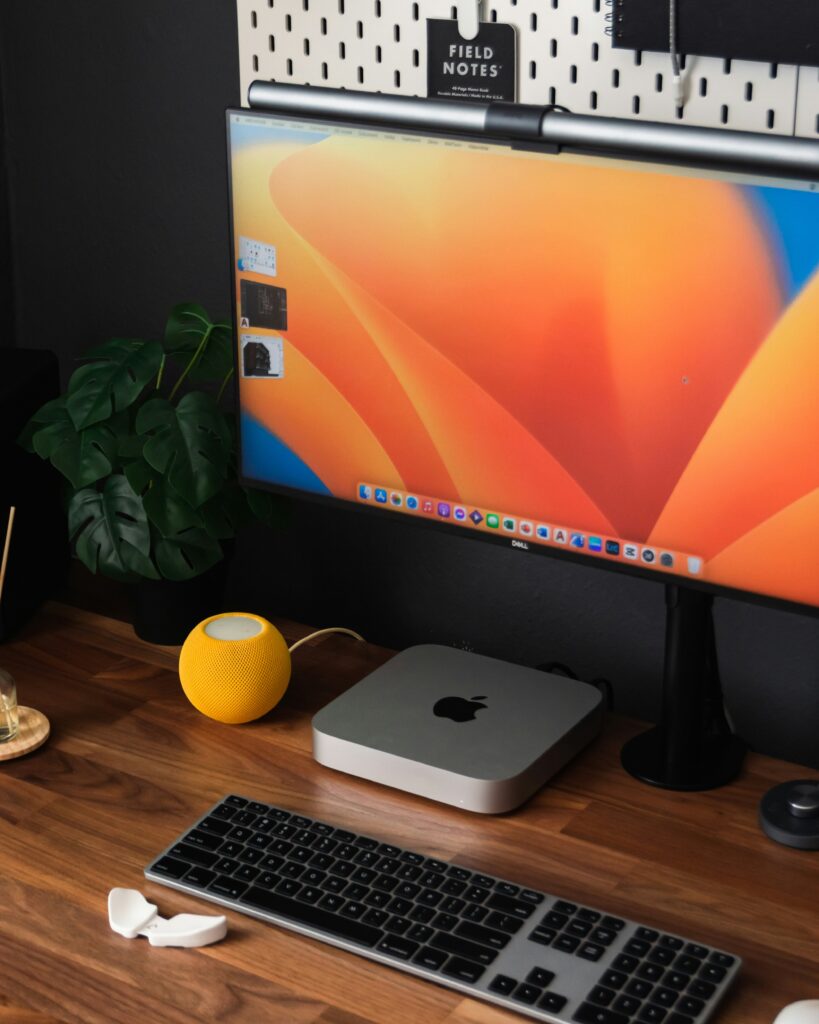
Desktops remain the king of productivity and performance.
For users who spend 8+ hours daily at a dedicated workstation, desktops often provide better long-term value.
Benefits of a Desktop
1. More Performance Per Dollar
A $1200 desktop often performs similarly to a $1800 $2000 laptop.
Desktop components have:
- Better cooling
- Higher power limits
- Faster sustained performance
2. Easier Upgrades
Need more RAM?
Install it.
Need more storage?
Add another SSD.
Need more graphics power?
Upgrade the GPU.
Desktops offer flexibility laptops simply cannot match.
3. Better Ergonomics
Destop setups naturally encourage:
- Proper monitor height
- Better posture
- Larger displays
- More comfortable keyboards
This can significantly reduce fatigue during long workdays.
Related Article:
Best For
- Software developers
- Video editors
- Engineers
- Data analysts
- Designers
- Full-time remote workers
Check these products on Amazon.
- Dell Tower Desktop ECT1250 – Intel Core Ultra 7-265 Processor
- HP Elite Mini 800 MFF Desktop Computer
- Logitech MX Mechanical Wireless Illuminated Performance Keyboard
Performance Comparison
Everyday Office Work
Winner: Tie
Both laptops and desktops handle:
- Web browsing
- Spreadsheets
- Video conferencing
without difficulty.
Programming and Software Development
Winner: Desktop
Developers often run:
- Virtual machines
- Docker containers
- Local databases
- IDEs
- Multiple monitors
A desktop provides superior thermal performance and upgradeability.
Video Editing
Winner: Desktop
Video rendering benefits greatly from:
- Dedicated GPUs
- More cooling
- Faster GPUs
Desktops complete rendering tasks faster and more consistently.
AI and Machine Learning
Winner: Desktop
High-end GOUs remain far easier and cheaper to deploy in desktop systems.
Cost Comparison
Many buyers focus solely on the computer price.
However, total setup cost matters.
Laptop Setup Example
Laptop: $1200
Additional accessories:
- Docking station
- Monitor
- Laptop stand
- Keyboard
- Mouse
Total Cost: <$1600
Desktop Setup Example
Desktop: $1100
Additional accessories:
- Monitor
- Keyboard
- Mouse
- Webcam
Total Cost: <$1500
Surprisingly, the total cost difference is often minimal.
Productivity Comparison
For serious remote work, ergonomics matter more than raw performance.
Laptop Productivity Challenges
Using a laptop alone often leads to:
- Neck strain
- Poor posture
- Smaller screens
- Reduced multitasking
Desktop Productivity Advantages
Desktop setups support:
- Dual monitors
- Ultrawide monitors
- Mechanical keyboards
- Better webcams
- Larger workspaces
For workers spending 40+ hours weekly at a desk, desktops generally provide a superior productivity experience.
Related Article:
The Hybrid Solution: Best of Both Worlds
Many professionals choose a laptop plus a docking station.
This setup provides:
- Portability
- Desktop-like productivity at home
Simply connect:
- External monitor
- Keyboard
- Mouse
- Ethernet
- Webcam
with a single cable.
For most modern remote workers, this is often the ideal solution.
Recommended Setup by Budget
Under $500
Choose:
- Budget laptop
- External keyboard and mouse
Best for:
Students and casual remote workers.
Under $1000
Choose:
- Mid-range laptop with external monitor
Best for:
Most office professionals.
Under $2000
Choose:
- Premium laptop and docking station
OR
- High-performance desktop workstation
Best for:
Developers and power users.
Luxury Setup ($2000+)
Choose:
- Premium desktop workstation
- Multiple monitors
- Ergonomic accessories
Best for:
Professionals who work from home full-ti,e.
Related Articles:
- Best Work From Home Setup Under $500
- Best Work From Home Setup Under $1000
- Ultimate Work From Home Setup Under $2000
Which Option Should You Choose?
Choose a Laptop if:
- You travel regularly
- You work inn multiple locations
- You value flexibility
- You need battery backup
Choose a Desktop if:
- You work from one location
- You need maximum performance
- You want easy upgradess
- You spend 8+ hours daily at your workstation
Choose a Laptop + Dock if:
- You want portability and productivity
- You occasionally travel
- You use a dedicated home office
- You want the best overall solution
Final Verdict
For most remote workers in 2026, a laptop paired with a monitor and docking station provides the best balance of flexibility. performance, and value.
However, if your work involves software development, video editing, engineering, or other demanding workloads, a desktop workstation remains the most powerful and cost-effective option.
The best choice ultimately depends on how – and where – you work everyday.
Your computer should support your workflow, not limit it.
Related Article: