The Best Work From Home Setup For Every Budget
Remote work is no longer a temporary trend – it’s become a permanent reality for millions of professionals. Whether you’re a software developer, designer, student, entrepreneur, or corporate employee, your work from home office directly impacts your productivity, comfort, and overall well-being.
The challenge? Building the right workspace without overspending.
In this guide, we’ll show you the best work-from-home setups for every budget, from under $500 to premium workstations costing several thousand dollars.
Why Your Work From Home Setup Matters
A poor workspace can lead to:
- Reduced productivity
- Neck and back pain
- Eye strain
- Lower focus and motivation
- More frequent equipment failures
A well designed home office helps you:
- Stay productive longer
- Improve posture and comfort
- Reduce distractions
- Create a professional environment
- Protect your technology investment
Related Article:
Budget Tiers
Budget Tier 1: The Starter Home Office ($300-$700)
Perfect for:
- Students
- New remote workers
- Side hustlers
- Freelancers
Essential Equipment
Laptop
Recommended specs:
- Intel Core Ultra 5 / Ryzen 5
- 16GB RAM
- 512GB SSD
Examples:
- Acer Aspire Sereies
- ASUS Vivobook
- Lenovo IdeaPad Series
Desk
Look for:
- Minimum 48-inch width
- Durable surface
- Cable management options
Budget Range:
- $80-$150
Chair
Don’t underestimate your chair.
Look for:
- Adjustable height
- Lumbar support
- Breathable mesh
Budget Range:
- $100-$200
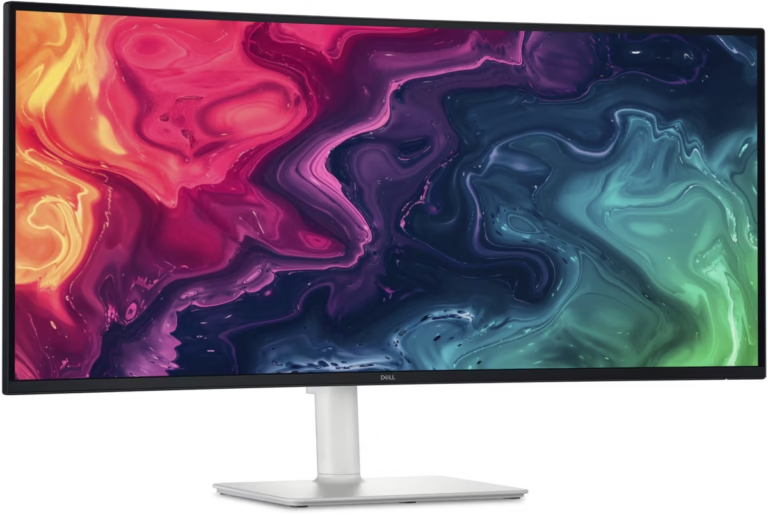
Monitor
Recommended:
- 24-inch IPS
- 1080p resolution
- Adjustable stand
Budget:
- $100-$180
Keyboard and Mouse
Good started combo:
- Logitech MK Series
- Microsoft Ergonomic Set
Budget Range:
- $30-$80
Estimated Cost
Item
Laptop
Desk
Chair
Monitor
Accessories
Total
Cost
$400
$100
$150
$130
$70
$850
Budget Tier 2: The Productivity Setup ($1000-$2000)
Perfect for:
- Developers
- Business professionals
- Designers
- Content creators
Recommended Laptop Upgrades
Look for:
- Intel Core Ultra 7
- AMD Ryzen 7
- Apple MacBook Air
Related Articles:
Dual Monitor Setup
Benefits:
- Improved multitasking
- Better workflow management
- Increased productivity
Recommended size:
- Two 27-inch QHD monitors
Docking Station
A docking station can instantly transform your laptop into a desktop workstation.
Recommended Features:
- USB-C Power Delivery
- HDMI/Display port
- Ethernet
- Multiple USB ports
Ergonomic Upgrades
Include:
- Monitor arms
- Laptop stand
- Ergonomic keyboard
- Vertical mouse
Estimated Cost
Item
Laptop
Desk
Chair
Monitors
Dock
Accessories
Total
Cost
$900
$250
$300
$500
$150
$200
$2300
Budget Tier 3: The Professional Workstation ($2000-$4000)
Perfect for:
- Software developers
- Engineers
- Video editors
- Data scientists
- Full-time remote professionals
Premium Laptop Options
Recommended Models:
Windows
- Dell XPS Series
- Lenovo ThinkPad X1
- ASUS ProArt
- HP Spectre
Mac
- MacBook Pro M4 Pro
- MacBook Pro M4 Max
Related Articles::
Standing Desk
Benefits:
- Better posture
- Improved circulation
- Reduced fatigue
Recommended Features:
- Electric height adjustment
- Memory presets
- 55″+ workspace
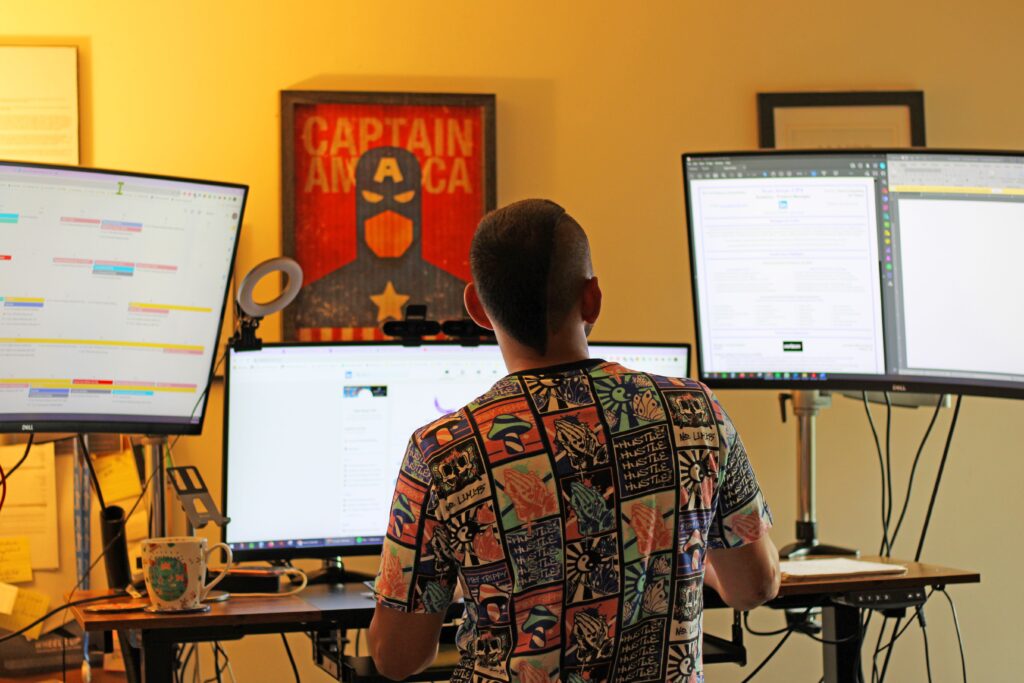
Triple Monitor Setup
Ideal for:
- Traders
- Programmers
- Engineers
- Analysts
Recommended configuration:
- Three 27-inch QHD displays
Professional Audio
Recommended:
- USB microphone
- Noise-canceling headset
- Quality webcam
Examples:
- Logitech Brio
- Elgato Facecam
- Shure MV7
Estimated Cost
Item
Laptop
Standing Desk
Chair
Monitors
Docking Station
Audio/Video
Accessories
Total
Cost
$1800
$700
$600
$1000
$300
$400
$200
$5000
Budget Tier 4: The Ultimate Dream Office ($5000+)
For:
- Executives
- Creators
- Entrepreneurs
- High-end developers
Premium Components
Computer
- MacBook Pro M4 Max
- High-end ThinkPad
- ASUS ProArt StudioBook
Displays
Options:
- Dual 5K displays
- Ultrawide OLED monitor
- 49-inch super ultrawide
Premium Chair
Examples:
- Herman Miller Aeron
- Steelcase Leap
- Herman Miller Embody
Smart Office Additions
Include:
- Smart lighting
- Smart thermostat
- Strem Deck
- Wireless charging station
- UPS battery backup
Home Office Accessories Worth Buying
These accessories often provide the biggest productivity gains.
Cable Management
Recommended:
- Cable trays
- Cable sleeves
- Velcro straps
Desk Lighting
Look for:
- Adjustable brightness
- Adjustable color temperature
Webcam
Minimum:
- 1080p
Recommended:
- 4K webcam
Headphones
Great options:
- Sony WH-1000XM Series
- Bose QuietComfort
- Apple AirPods Pro
Work From Home Setup Mistakes to Avoid
Buying Too Little Desk Space
Most people underestimate how much room they need.
Ignoring Ergonomics
A clear chair becomes expensive when it causes back pain.
Buying the Cheapest Laptop
Consider total ownership cost, reliability, and warranty.
Related Articles::
Not Planning for Growth
Choose equipment that can grow with your needs.
Frequently Asked Questions
What is the ideal work-from-home setup?
The ideal setup includes a reliable laptop, ergonomic chair, quality desk, external monitor, proper lighting, and fast internet.
How much should I spend on a home office?
Most professionals should budget between $1000 and $2500 for a comfortable and productive workspace.
Is a standing desk worth it?
For many remote workers, yes,. Alternating between sitting and standing can improve comfort and reduce fatigue.
Final ThoughtsThe best work-from-home setup isn’t necessarily the most expensive – it’s the one that helps you stay productive, comfortable, and focused.
Start with the essentials:
- Reliable laptop
- Ergonomic chair
- Quality desk
- External monitor
Then gradually upgrade as your needs evolve.
By investing strategically, you can create a workspace that supports your career for years to come.