The Best Microsoft Surface Devices for Students, Professionals, and Creators
Why Choose a Microsoft Surface Device in 2026?
Microsoft’s Surface lineup has evolved into one of the most versatile premium Windows ecosystems available. Whether you’re a student taking notes ion class, a professional working remotely, or a creator editing photos and videos, there is a Surface device designed for your workflow.
The newest Surface devices combine premium build quality, excellent battery life, AIA-powered Copilot+ features, touchscreen displays, and lightweight portability. Recent Surface Pro and Surface Laptop models feature Snapdragon X and Intel Core Ultra processors, improved AI acceleration, and longer battery life than previous generations.
Related Article:
Quick Comparison: Best Surface Devices in 2026
Feature
Best For
Form Factor
Touchscreen
Pen Support
Portability
Creative Work
Battery Life
Microsoft Surface Pro Copilot+ PC
Students
2-in-1
Yes
Excellent
Excellent
Good
Excellent
Microsoft Surface Pro 11 Tablet
Power Users
Premium 2-in-2
Yes
Excellent
Excellent
Very Good
Excellent
Microsoft 13.8 Surface Laptop Copilot+ PC
Most People
Traditional Laptop
Yes
Limited
Very Good
Good
Excellent
Microsoft Surface Laptop 7 Copilot+ PC
Business Professional
Business Laptop
Yes
Limited
Very Good
Good
Excellent
Microsoft Surface Laptop Studio
Creators
Creator Laptop
Yes
Excellent
Good
Excellent
Good
Best Overall Surface Device
The Surface Laptop continues to be the easiest recommendation for most buyers.
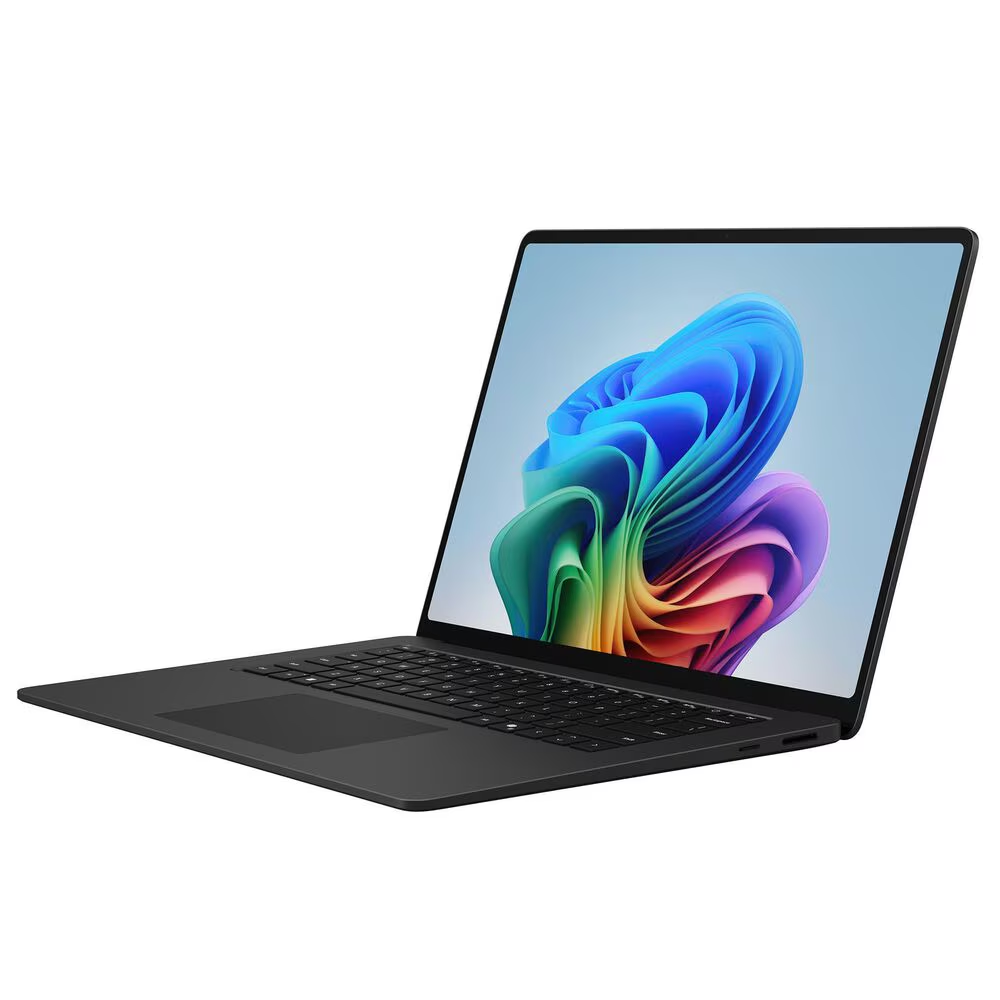
It combines excellent battery life, premium build quality, AI-powered Copilot+ features, a comfortable keyboard, and strong everyday performance. Microsoft’s latest Surface Laptop models deliver all-day battery life and Snapdragon-powered AAI capabilities that make them ideal for students and professionals alike.
Why We Recommend It
- Best balance of performance and portability
- Outstanding battery life
- Premium keyboard and trackpad
- Excellent display quality
- Ideal for productivity and everyday use
Best Surface Device for Students
Students need portability, battery life, and flexibility.
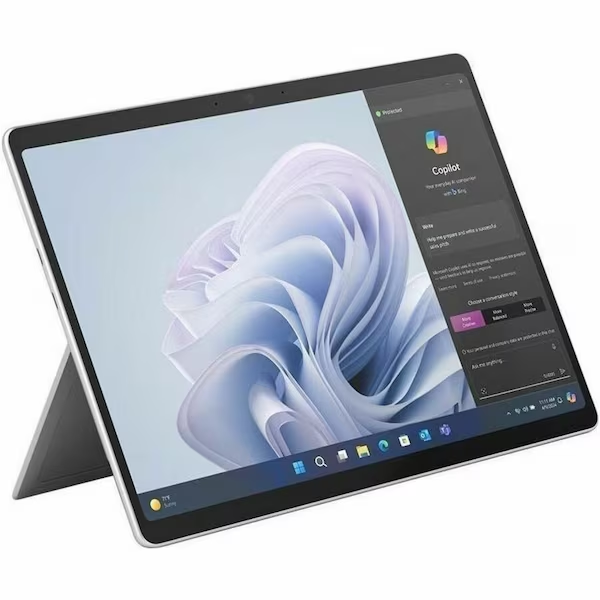
The Surface Pro is one of the best classroom devices available because it functions as both a laptop and tablet. Paired with the Surface Pen and keyboard, students can take handwritten notes, annotate PDFs, and complete assignments from a single device. Microsoft’s latest Surface Pro models continue to emphasize tablet-to-laptop flexibility and all-day battery life.
Why Students Love It
- Lightweight and easy to carry
- Great for note-taking
- Touchscreen and stylus support
- Long battery life
- Excellent for online classes
Related Article:
Best Surface Devices for Business Professionals
Business users need reliability, battery life, performance, and security.
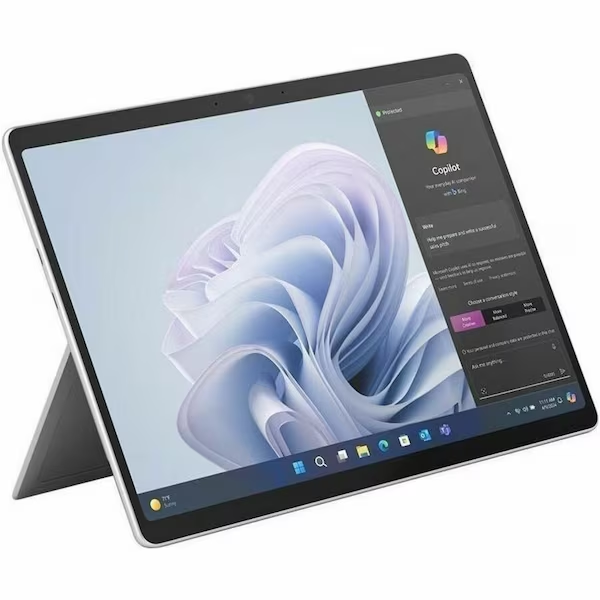
The Surface Laptop 7 is built specifically for productivity-focused professionals. With Intel Core Ultra options and Copilot+ AI features, it excels at Microsoft 365, Teams, multitasking, and remote work.. Business-focused Surface Laptop models also offer enhanced security and enterprise management features.
Ideal For
- Executives
- Consultants
- Remote workers
- Sales professionals
- Frequent travelers
Best Surface Device for Creators
If your workload includes Photoshop, Lightroom, Illustrator, digital art, or video editing, the Surface Laptop Studio remains Microsfot’s most creator-friendly device.
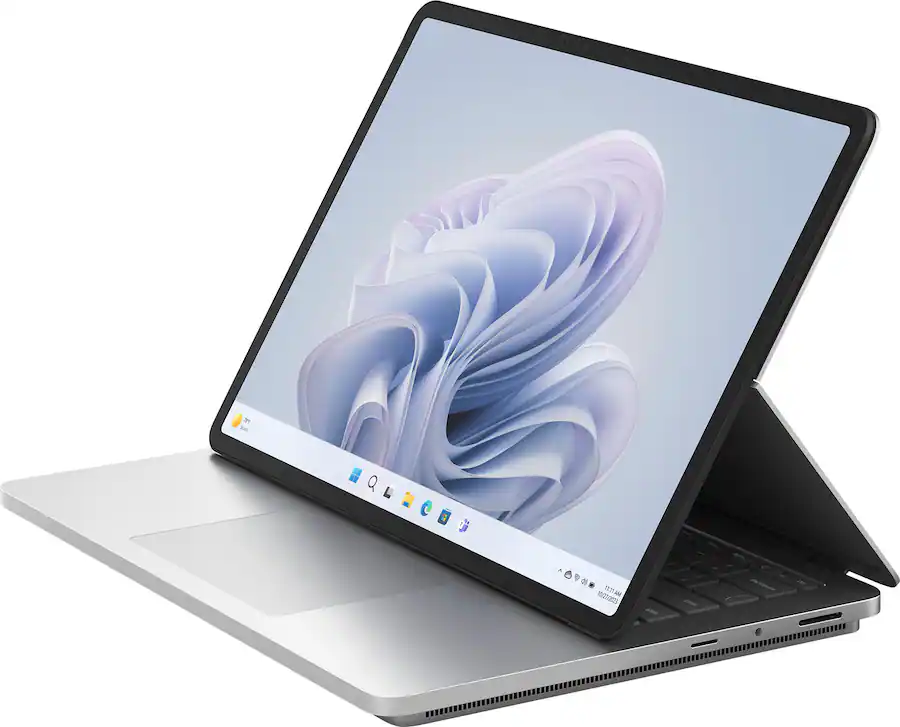
The unique display design allows multiple working modes while maintaining laptop performance. Its touchscreen and pen support make it especially appealing to artists and designers.
Best Creative Tasks
- Digital illustration
- Graphic design
- Photography editing
- Video production
- Content creation
Related Article:
Surface Laptop vs Surface Pro: Which Should You Buy?
Buy a Surface Laptop if:
- Your primarily work at a desk
- You type frequently
- You want maximum battery life
- You prefer a traditional laptop
Buy a Surface Pro if:
- You want tablet functionality
- You take handwritten notes
- You travel frequently
- You need maximum portability
For most buyers, the Surface Laptop remains the better everyday machine, while the Surface Pro excels for users who value flexibility and pen support.
Recommended Surface Configurations
Budget-Friendly Student Setup
- Surface Pro
- 16GB RAM
- 256GB SSD
- Surface keyboard
Professional Setup
- Surface Laptop
- 16GB RAM
- 512GB SSD
Power User Setup
- Surface Laptop
- 32Gb RAM
- 1TB SSD
Creator Setup
- Surface Laptop Studio
- 32GB RAM
- Dedicated GPU
- Surface Slim Pen
Final Verdict
Microsoft’s Surface lineup continues to be among the best premium Windows devices available.
Best Overall: Surface Laptop
Best for Students: Surface Pro
Best for Professionals: Surface Laptop 7
Best for Creators: Surface Laptop Studio
If you’re buying a Surface device in 2026, proprituize RAM and storage upgrades first, then choose the form factor that best matched your workload.
Related Article: